



Meowzino Mobile Casino App
Making a choice isn’t always easy, but with the Meowzino app, you don’t have to compromise. Our solution looks just like the website and has all the features you can expect from a mobile application. So you don’t have to choose between the two formats – our app offers the benefits of both.



Why Play on Mobile?
Some players are skeptical about playing games on their phones because of common misconceptions. But the Meowzino app shows that these are just myths.
| Myth | Reality |
| Your account is easier to hack when you play on your phone | It doesn’t depend on the device you use but on the platform’s security measures. We rely on TLS encryption, firewalls, CAPTCHAs and other tools. |
| Our casino can access all data on your phone | The Meowzino app runs in your browser and doesn’t require access to your files. |
| The mobile version doesn’t have all games available | Our application offers the same complete game library with 6,000+ titles. |
| A smaller screen makes mobile gambling inconvenient | All buttons, menus and game elements are automatically optimized for touch controls. |
| Live Casino only works on PC | Our solution adapts live streams to your internet speed. |
| Your game results can be lost if your connection drops | We keep your session data and balance on our servers, so temporary connection problems won’t affect them. |
| An APK file is safer than a PWA | It is just another app format, so it doesn’t automatically provide extra protection. |
| It’s impossible to verify your account or make transactions on mobile | Our solution supports the same features as the website. |
As you can see, the Meowzino mobile app uses a secure connection and technology that helps prevent interface issues. That’s why you’ll get the same level of convenience on your phone as on a computer.
Use Meowzino on Your Android
Android users can count on a secure mobile casino experience. And this approach to safety starts right from the Meowzino app download process. You’ll install it from our official website, which is licensed by the Tobique Gaming Commission. This means our app also complies with GDPR standards and can’t:
- read your photos and files
- access other apps
- scan your contacts
- manipulate your personal data
- install programs on its own
In addition, the Meowzino app has a built-in automatic update feature. So you’ll never face the risk of installing fake Android app versions with dangerous code. All releases are managed by our developers on the server side.
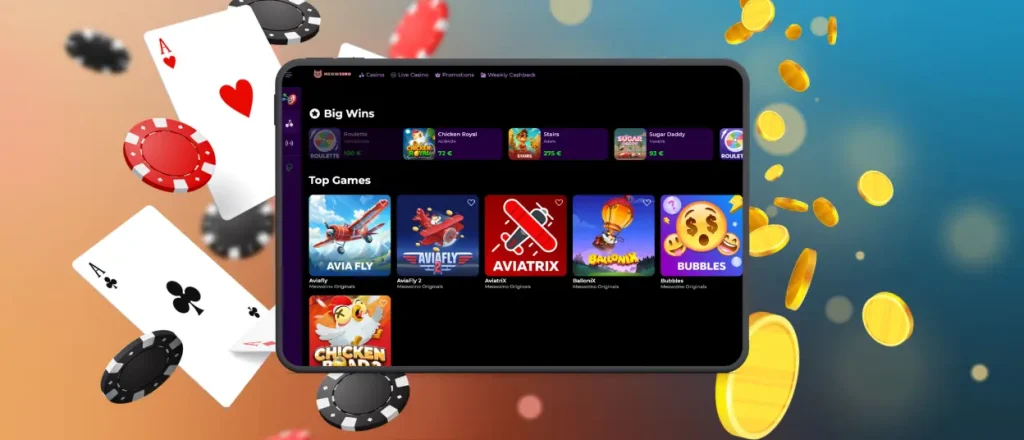
Install Meowzino on iOS
You can play mobile slots for much longer with the Meow Zino app. Thanks to adaptive content loading and fewer background processes, your iPhone or iPad will consume significantly less battery power. The same applies to memory usage – our PWA takes up only a few megabytes.
The entire Meowzino download app process takes place on our website:
- Open our platform in your mobile browser
- Find the Casino App icon and tap it to go to the iOS app page
- Select “Install”
- Wait a moment, then open the Meowzino app to check that everything works
After that, you can rename your shortcut and organize it in a folder with other applications. You can also remove it from your home screen and launch the Meowzino app via Spotlight Search.
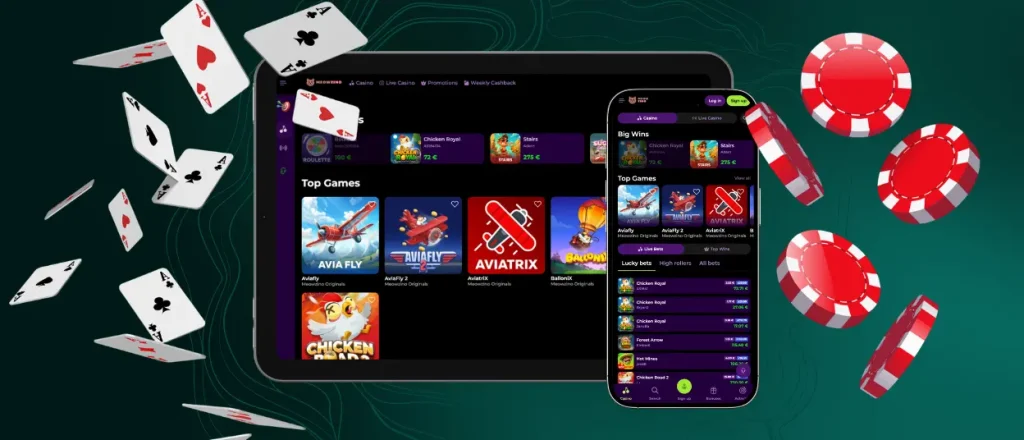
Gaming Without Installation
Our progressive web app is a convenient format but it’s just an option. If you don’t want to spend even a minute installing the Meowzino app, you can simply open our website on your mobile phone and still have a good experience.
The mobile betting interface is optimized for touchscreen navigation. Thanks to the responsive design, all odds, lines and other elements are displayed at an optimal size for clear and comfortable viewing on mobile devices.
Also, you can launch the Meowzino Casino platform in any browser – Chrome, Safari or others. It works across all major versions and provides a secure gaming experience.

FAQ
Can I find the Meowzino APK in Google Play?
No, because there’s no need for that. We offer one app version for Android and iOS. It’s lighter and more secure than a traditional mobile application. So you don’t have to use any third-party services to install it – the process can be completed directly on our website.
Is the Meow Zino app available on desktop?
You can use our app on virtually any device. If you find it more convenient to play on a laptop, you can still use the PWA. In this case, the interface will also be cleaner – it won’t include the browser address bar or tabs.
Can I use biometric login in the mobile app?
Yes, you can use Face ID or Touch ID. Just press and hold the app icon and select the biometric login option you need.
Will my balance be updated on all my devices?
Yes, you can start playing on your computer and continue on your phone. Because your game progress, balance and other information are automatically synced in the Meowzino app.
Can I get support through the Meowzino Casino app?
If you need help, tap the Live Chat button and send us a message. You can also attach a screenshot or photo from your gallery. And thanks to the push notifications, you’ll know as soon as our support team gets back to you.


